My first post on my first blog!
My first blog
It's 2025 and I finally decided to start my own blog. Why? We could spend some time discussing the pros and cons of having a blog and why people still do it, but let's be honest: I'm doing it only for myself. I don't care if any one will read it, if people find it useful or not. I like to write down something while working on my projects, usually a random tmp.md that will forever remain in the project folder till I lose it 😅. So I thought why not start a blog; let's arrange my bunch of steps/commands in the tmp.md in a more readable form, so that after some months they will still be understandable and maybe useful.
Software stack
Thinking about my own blog I have few key requirements:
- I want a static website, so it's easier to host;
- NO JavaScript! I hate it! 😁 (It actually use JS only for the search functionality 😥);
- I want it minimalistc but still to look nice, and I would like to touch less html/css as possible.
So I started looking around and after a while I endend up having two main options: HUGO and Zola. At first I started with HUGO because I had already used it a little and I liked it. But then out of curiosity tried Zola and I finally settled on it.
As I mentioned, I prefer not to write much HTML or CSS, so I looked for a nice theme. With HUGO, I used the PaperMod theme, and fortunately, there is also a port available for Zola, making it an easy choice.
PaperMod patches
I quite liked the theme as it came out of the box, but I made some small adjustments 😝.
Search page
By default the search page appears as a normal post in the homepage, which I don't like.
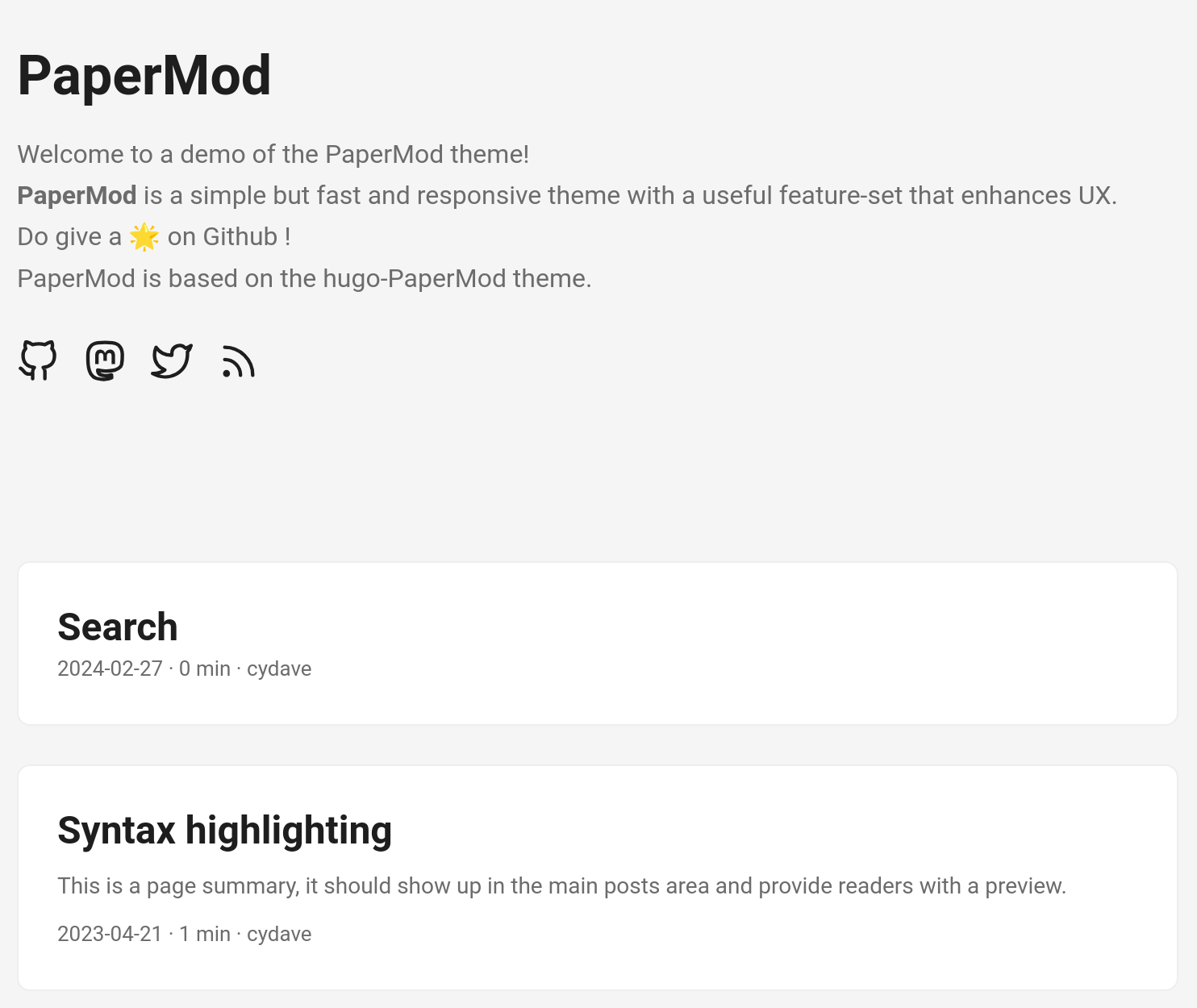
To fix this I changed the project folder structure; I moved content/search.md to content/search/search.md, and updated the config.toml:
navigation = [
#...
  { url = "$BASE_URL/search/search", title = "Search" },
#...
]
Now the project folder looks like this:
content/
├── _index.md
├── archive/
├── posts/
├── search/
│   └── search.md
└── tags
Archive and Tags counter
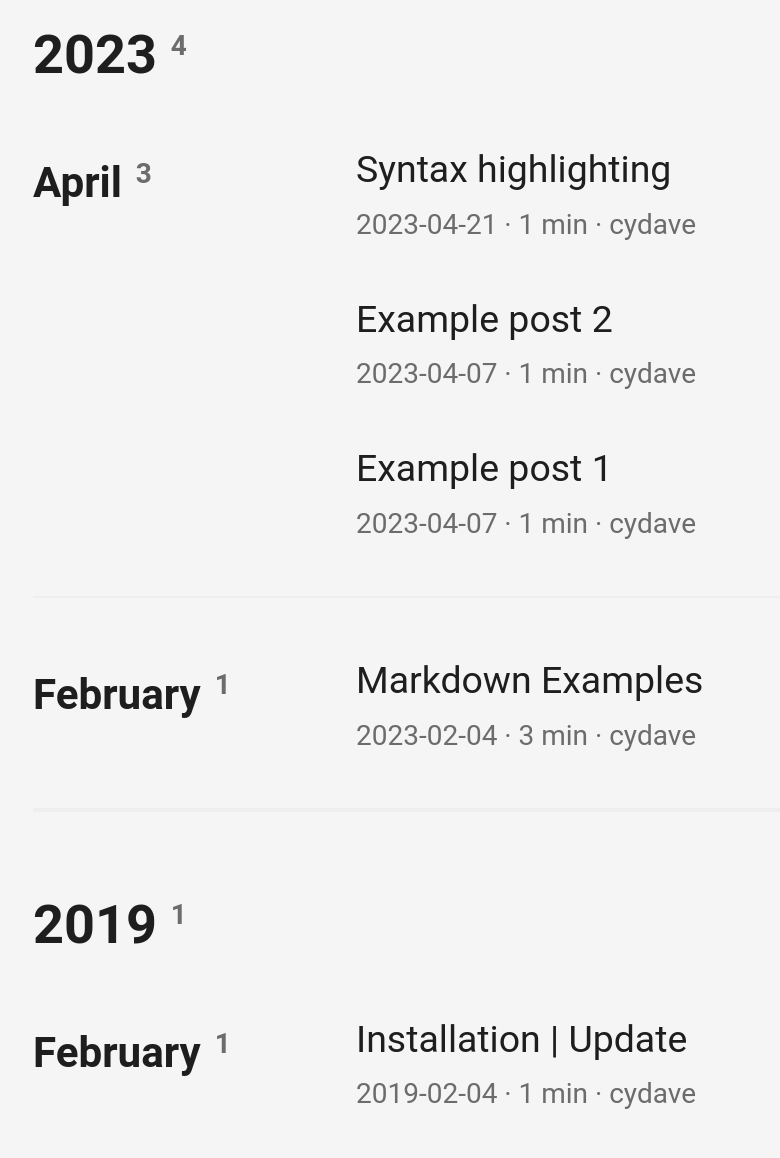
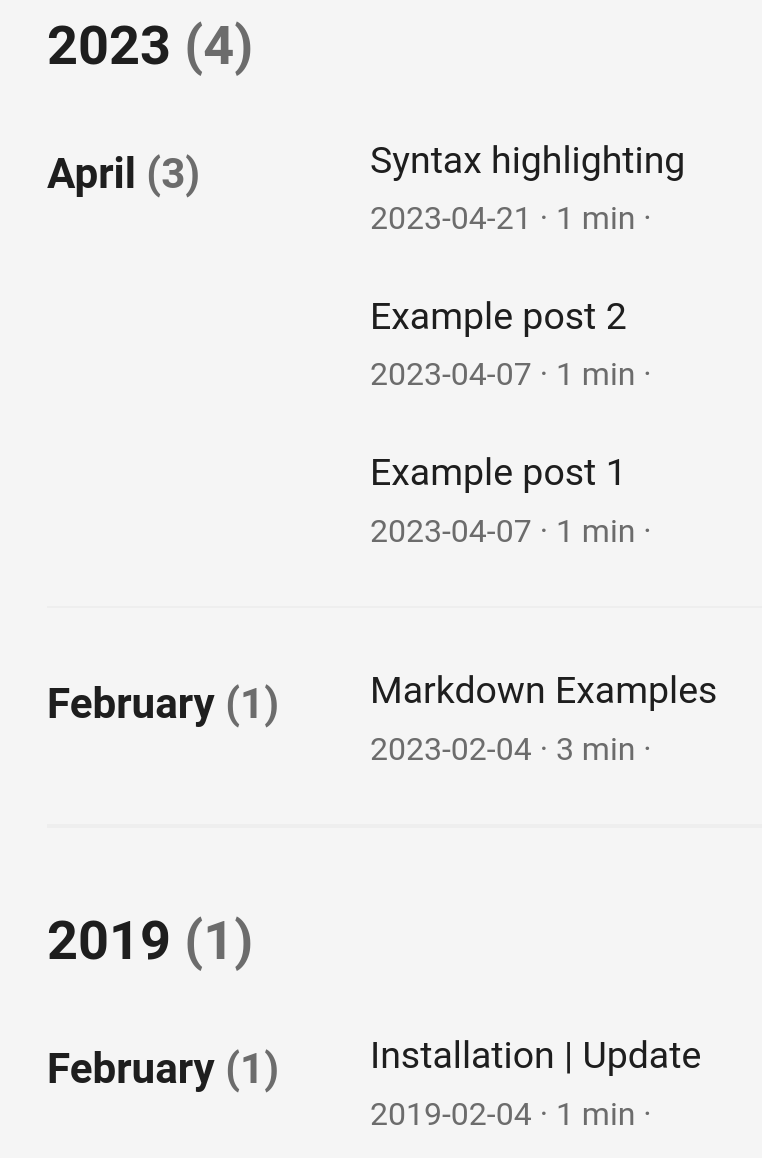
I also changed the default appearance of the counter in the Archive and Tags pages.
| Before | After |
|---|---|
 |  |
| Before | After |
|---|---|
 |  |
For the Archive page I applied those patches:
diff --git a/themes/papermod/templates/archive.html b/themes/papermod/templates/archive.html
index 767fc30..f6a24bc 100644
--- a/themes/papermod/templates/archive.html
+++ b/themes/papermod/templates/archive.html
@@ -16,12 +16,14 @@
{% set yearly_posts = posts_section.pages | group_by(attribute="year") %}
{% for year, posts in yearly_posts %}
<div class="archive-year">
- <h2 class="archive-year-header">{{ year }}<sup class="archive-count"> {{ posts | length }}</sup></h2>
+ <h2 class="archive-year-header">{{ year }}<span class="archive-count"> ({{ posts | length }})</span></h2>
+ <!--<h2 class="archive-year-header">{{ year }}<sup class="archive-count"> {{ posts | length }}</sup></h2>-->
{% set monthly_posts = posts | group_by(attribute="month") %}
{% for month, posts in monthly_posts %}
{% set month_name = posts[0].date | date(format="%B") %}
<div class="archive-month">
- <h3 class="archive-month-header">{{ month_name }}<sup class="archive-count"> {{ posts | length }}</sup></h3>
+ <h3 class="archive-month-header">{{ month_name }}<span class="archive-count"> ({{ posts | length }})</span></h3>
+ <!--<h3 class="archive-month-header">{{ month_name }}<span class="archive-count"> ({{ posts | length }})</span></h3>-->
<div class="archive-posts">
{% for post in posts %}
{% set formatted_date_long = post.date | date(format="%Y-%m-%d %H:%M:%S %z") %}
diff --git a/themes/papermod/static/css/styles.css b/themes/papermod/static/css/styles.css
index 11ae8c9..24daae2 100644
--- a/themes/papermod/static/css/styles.css
+++ b/themes/papermod/static/css/styles.css
@@ -195,7 +195,7 @@ img {
 .archive-count,
 .archive-meta {
   color: var(--secondary);
-  font-size: 14px;
+  //font-size: 14px;
 }
 .footer,
 .top-link {
This one for the Tags page:
diff --git a/themes/papermod/templates/tags/list.html b/themes/papermod/templates/tags/list.html
index 9183338..a2e938b 100644
--- a/themes/papermod/templates/tags/list.html
+++ b/themes/papermod/templates/tags/list.html
@@ -7,7 +7,7 @@
 <ul class="terms-tags">
     {% for term in terms %}
     <li>
-        <a href="{{ term.permalink }}">{{ term.name }} <sup><strong><sup>{{ term.page_count }}</sup></strong></sup> </a>
+        <a href="{{ term.permalink }}">{{ term.name }} <span class="archive-count">({{ term.page_count }})</span> </a>
     </li>
     {% endfor %}
 </ul>
Last update date in post metadata
Last thing I wanted was a Last updated information on every post. Zola already support the updated metadata for each page, I only had to make PaperMod display it.

Here is what I changed:
diff --git a/themes/papermod/templates/partials/post_meta.html b/themes/papermod/templates/partials/post_meta.html
index e806658..84dd3f2 100644
--- a/themes/papermod/templates/partials/post_meta.html
+++ b/themes/papermod/templates/partials/post_meta.html
@@ -12,5 +12,9 @@
 {% set meta = meta | concat(with=page.word_count ~ " words") %}
 {% endif %}

-{% set meta = meta | concat(with=page.author | default(value=config.author)) %}
+{% set update_date = page.updated | default(value="") %}
+{% if update_date %}
+{% set meta = meta | concat(with='Last updated: ' ~ update_date) %}
+{% endif %}
+
 {{ meta | join(sep=" · ") | safe }}
Hosting
As I didn't want to selfhost this website, I started looking for hosting providers that offer free website hosting. I knew about GitHub Pages but then I found out Cloudflare Pages, and I decided to give it a try. Cloudflare doc shows a simple way of deploying a Zola site, but I didn't like it that much and I wanted to do it in a more CI/CD fashion. So I ended up writing my own GitHub Action:
name: Cloudflare Pages deployment

on:
  workflow_dispatch: # Manual invoking of deploy (optional)
  push:
    branches:
      - prod

jobs:
  build-and-deploy:
    runs-on: ubuntu-latest
    name: Build and Deploy
    steps:
      - name: Checkout Code
        uses: actions/checkout@v4
        with:
          ref: prod # Specify the branch to check out
          submodules: recursive # Ensures submodules are checked out

      - name: Apply Git Patches
        run: |
          for patch in patches/*.patch.diff; do
            if [ -f "$patch" ]; then
              echo "Applying patch $patch"
              git apply "$patch" || { echo "Failed to apply patch $patch"; exit 1; }
            else
              echo "No patch files found"
              exit 1
            fi
          done

      - name: Run zola build
        run: docker run -v ${{ github.workspace }}/blog/:/app --workdir /app ghcr.io/getzola/zola:v0.20.0 build

      - name: Deploy to Cloudflare Workers with Wrangler
        uses: cloudflare/wrangler-action@v3
        with:
          apiToken: ${{ secrets.CLOUDFLARE_API_TOKEN }}
          accountId: ${{ secrets.CLOUDFLARE_ACCOUNT_ID }}
          command: pages deploy blog/public --project-name=urandom --branch=main

      - name: Clean up old deployments
        run: |
          sudo apt-get install -y jq
          # Fetch and sort deployments by creation date, then reverse the order
          DEPLOYMENTS=$(curl -s -X GET "https://api.cloudflare.com/client/v4/accounts/${{secrets.CLOUDFLARE_ACCOUNT_ID}}/pages/projects/urandom/deployments" \
          -H "Authorization: Bearer ${{secrets.CLOUDFLARE_API_TOKEN}}" \
          | jq -r '.result | reverse | .[].id')

          if [ -z "$DEPLOYMENTS" ]; then
            echo "No deployments found."
            exit 0
          fi

          # Convert DEPLOYMENTS to an array
          readarray -t DEPLOYMENT_ARRAY <<< "$DEPLOYMENTS"

          # Delete old deployments, keeping the last one (most recent)
          if [ ${#DEPLOYMENT_ARRAY[@]} -gt 2 ]; then
            NUM_DEPLOYMENTS_TO_DELETE=$(( ${#DEPLOYMENT_ARRAY[@]} - 2 ))
            for (( i=0; i<$NUM_DEPLOYMENTS_TO_DELETE; i++ )); do
              DEPLOYMENT_ID="${DEPLOYMENT_ARRAY[$i]}"
              echo "Deleting deployment $DEPLOYMENT_ID"
              curl -s -X DELETE "https://api.cloudflare.com/client/v4/accounts/${{secrets.CLOUDFLARE_ACCOUNT_ID}}/pages/projects/urandom/deployments/$DEPLOYMENT_ID" \
                -H "Authorization: Bearer ${{secrets.CLOUDFLARE_API_TOKEN}}"
            done
          else
            echo "No old deployments to delete."
          fi
        env:
          CLOUDFLARE_API_TOKEN: ${{ secrets.CLOUDFLARE_API_TOKEN }}
          CLOUDFLARE_ACCOUNT_ID: ${{ secrets.CLOUDFLARE_ACCOUNT_ID }}
It's nothing really special. The last step is maybe the non standard one; it ensures that only the two most recent deployments are always available (just in case I want to manually roll back) and delates all the older ones.
Summary
I finally start my own blog! I use Zola (v0.20.0) with the PaperMod theme (commit fab7cd04833f0c78264b433a4fb1f4b999ef0399) plus my own customization. I host everything on Cloudflare Pages
AI
Will I use AI to write or code? Maybe, maybe not. Maybe all this blog is AI generatd the text, the code and all the images. You'll never know and I think it's not really that important.